


Mastering Boneworks: Essential Tips for New VR Players
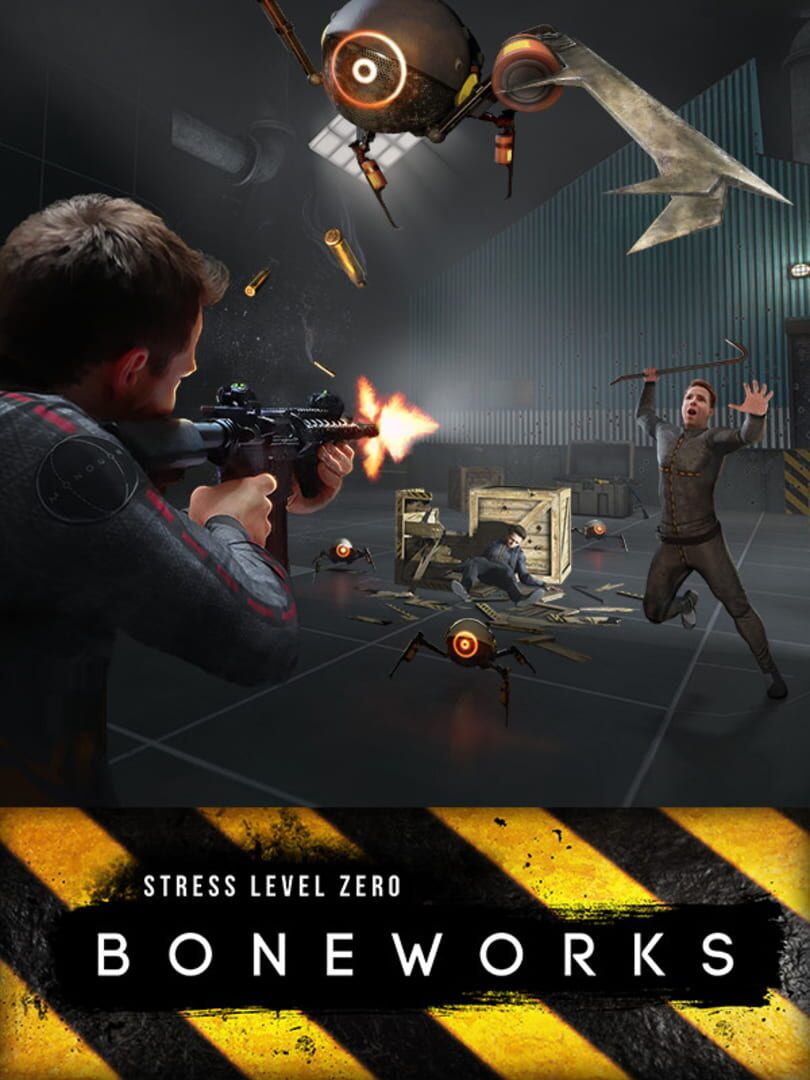
When Boneworks released, it set a groundbreaking standard for virtual reality physics engines and full-body immersion. Developed by Stress Level Zero, this experimental physics VR adventure challenges players to navigate the digital city of MythOS using realistic weight, momentum, and body mechanics. Unlike standard VR games where your hands clip through solid objects, everything in Boneworks has physical presence, weight, and collision.
Because of its uncompromising realism, the game presents a steep learning curve for new players. If you are struggling to climb ledges, aim weapons, or manage your inventory, this beginner guide will teach you essential survival mechanics and help you get the most out of your experience.
1. Understanding the Physics Engine and Virtual Body
The core concept of Boneworks is that your avatar exists fully within the game world. Your virtual arms, torso, and legs interact continuously with the environment. To play effectively, you must adapt to how physical force is rendered.
- Weight and Inertia: Heavy objects like sledgehammers or large boxes cannot be flicked effortlessly with your wrist. You must swing heavy items with slow, deliberate, two-handed movements to build physical momentum.
- Body Presence: Be mindful of your virtual torso and shoulders when navigating tight doorways or taking cover. If your physical body collides with an object, your avatar will stumble or push off it.
- Force Requirements: Stabbing enemies or breaching wooden barricades requires real physical force and distance. Short jab movements will not penetrate armor or hard surfaces.
2. Master the Inventory Holster System
Managing your equipment efficiently is vital during intense firefights. Your virtual body includes several dynamic holsters:
- Back Holsters: Located over your left and right shoulders. These are ideal for long weapons such as rifles, shotguns, and broadswords.
- Hip Holsters: Positioned at your left and right waistline. Perfect for sidearms, short melee weapons, and small tools.
- Chest & Center Holsters: Used primarily for storing utility items, keycards, or ammo magazines.
To drop items back into a holster reliably, lower your hand to your hip or reach back past your shoulder until you feel a subtle tactile vibration in your controller before releasing your grip.
3. Combat Mechanics: Melee and Firearms
Combat in Boneworks behaves differently than in arcade-style shooters like Half-Life: Alyx. Real-world physical principles apply directly to every encounter.
Melee Combat Strategy
Always use two hands on two-handed weapons like crowbars, pipes, and battle axes. Holding a heavy melee weapon with one hand drastically reduces your control and impact velocity. Aim for headshots on Null Bodies and Crablets, as head impacts deal significantly higher damage. You can also grab enemy limbs to restrict their movements or throw them into environmental hazards.
Firearm Handling and Recoil Control
Rifles and submachine guns experience physical muzzle rise. To control recoil, grip the front handguard with your off-hand. Align your physical sightline directly with the iron sights or optics. Unlike automatic reload mechanics in basic VR titles, reloading in Boneworks requires manually pulling the magazine catch, inserting a fresh magazine from your chest ammo pouch, and pulling the charging handle or slide lock release.
4. Mastering Climbing and Vaulting
Climbing is one of the most challenging mechanics for beginners. Because your avatar has physical legs that can catch on edges, simply pulling yourself up with your hands is often not enough.
- The Crouch Vault Technique: When climbing over a ledge, reach up and grab the edge with both hands. Pull your physical hands down toward your stomach while simultaneously holding down the virtual crouch button (analog stick). This tucks your avatar's legs beneath you, allowing your body to clear the ledge smoothly.
- Hand Placement: Place your hands firmly on flat horizontal surfaces rather than gripping thin vertical edges when trying to push yourself upward.
5. Managing VR Motion Sickness
Because Boneworks relies strictly on full physics smooth locomotion without teleportation options, it can trigger motion sickness in players who are new to virtual reality. Follow these steps to maximize your comfort:
- Build Your VR Legs: Play in short sessions. Stop immediately if you feel dizzy or nauseous.
- Adjust Comfort Settings: Utilize snap turning instead of smooth turning if rotation makes you feel uneasy. Enable comfort vignettes in the settings menu to narrow your field of view during movement.
- Lean Into Movement: Slightly bend your physical knees and lean into virtual movement to help your body process artificial acceleration.
Frequently Asked Questions
Is Boneworks recommended for absolute VR beginners?
Because Boneworks relies heavily on smooth locomotion, physical collisions, and realistic body momentum, it is generally recommended for players who have already built up tolerance to VR motion sickness. Beginners should start with shorter sessions or build comfort in lighter VR experiences first.
How do I unlock Sandbox mode in Boneworks?
To unlock Sandbox mode, you must locate the hidden Boneworks Sandbox Module crate within the main campaign story levels and reclaim it by dropping it into a Reclamation Bin at the end of the level.
What is the difference between Boneworks and Bonelab?
While both games are developed by Stress Level Zero and share the same core physics engine, Bonelab serves as a successor introducing custom avatar switching mechanics, official mod support, and improved engine performance across multiple platforms.
Final Thoughts
Once you understand its physics-first design language, Boneworks provides one of the most immersive and rewarding action sandbox experiences available in virtual reality. Take your time practicing climbing techniques, utilize two-handed weapon grips, and respect the virtual physics engine to conquer every challenge MythOS throws your way.
