


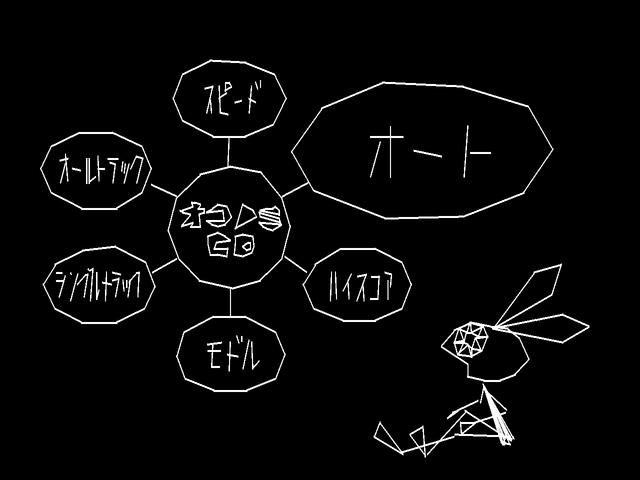
Introduction to Vib-Ribbon
Released in 1999 for the PlayStation, Vib-Ribbon is a rhythm-action classic created by Masaya Matsuura and developer NanaOn-Sha, the creative team behind PaRappa the Rapper and UmJammer Lammy. Defined by its minimalist vector graphics and charming protagonist Vibri, Vib-Ribbon challenges players to navigate rhythmically generated obstacle tracks mapped directly to music.
Basic Controls and Core Obstacles
In Vib-Ribbon, obstacles approach Vibri along a continuous line called the ribbon. To successfully clear an obstacle, you must press the corresponding button at the precise moment Vibri touches it. There are four fundamental obstacle shapes in the game:
- Block (Square): Press L1
- Loop (Circle): Press R1
- Pit (V-shape Dip): Press Down on the D-Pad
- Wave (Zigzag): Press X
Mastering Combined Obstacles
As you progress to higher difficulty levels or play faster music tracks in Vib-Ribbon, the game combines two basic shapes into hybrid obstacles. Clearing these requires pressing two buttons simultaneously:
- Block + Loop: Press L1 + R1
- Block + Pit: Press L1 + Down
- Block + Wave: Press L1 + X
- Loop + Pit: Press R1 + Down
- Loop + Wave: Press R1 + X
- Pit + Wave: Press Down + X
Vibri's Transformations and Health System
Your performance in Vib-Ribbon directly impacts Vibri's physical form. Rather than using a traditional health bar, Vibri transforms based on your timing and accuracy:
- Fairy (Super Vibri): Successfully clear 18 obstacles consecutively without missing to transform into a winged fairy. Taking damage reverts Vibri back to Rabbit form.
- Rabbit: The default starting form. You can withstand one mistake before degrading.
- Frog: Triggered after taking a hit in Rabbit form. Visual elements flicker and rhythm cues become more erratic.
- Worm: Triggered after taking a hit in Frog form. This is the final warning stage. Taking another hit in Worm form results in an immediate Game Over.
How the Custom Audio CD Feature Works
One of the most innovative features of Vib-Ribbon on the original PlayStation is its ability to generate unique levels from standard music CDs. Because the entire game loads directly into the console's internal RAM, players can swap out the game disc freely during play.
Steps to Play Custom CDs:
1. Boot up Vib-Ribbon and select the custom CD option from the main menu.
2. Open the disc tray and replace the Vib-Ribbon disc with any audio CD.
3. Select a track. The game will automatically analyze the audio data to generate obstacle patterns matched to the song's tempo and rhythm structure.
Tips for High Scores
- Focus on sound over sight: Visual cues can become jittery when Vibri is damaged. Trust the musical rhythm to time button presses accurately.
- Hold controllers comfortably for double-inputs: Prepare your hands specifically for multi-button inputs like L1 + Down or R1 + X during fast passages.
- Use high-tempo music CDs: Faster songs with clear drumbeats often yield cleaner, more consistent obstacle distributions than slow or ambient tracks.
Frequently Asked Questions (FAQ)
What platforms can I play Vib-Ribbon on?
Vib-Ribbon was originally released on the PlayStation 1 in Japan and Europe. It later received a digital re-release on PlayStation 3, PlayStation Vita, and PSP via the PlayStation Network.
Can I use custom CDs on modern platforms?
On the PlayStation 3 digital version, players can load physical audio CDs into the PS3 disc drive for custom stage generation. However, handheld versions on PS Vita and PSP do not support custom audio CDs due to hardware constraints, restricting play to the built-in soundtrack.
How many built-in tracks does Vib-Ribbon have?
Vib-Ribbon features six original built-in songs by the Japanese music group Laugh and Peace, split across Bronze (Easy), Silver (Medium), and Gold (Hard) courses.
