


Welcome to the charming, woolly universe of Craftworld! Ever since Media Molecule launched LittleBigPlanet, this groundbreaking platformer series has captured the hearts of players worldwide. Built around the revolutionary mantra of Play, Create, and Share, the game offers a unique blend of platforming adventures and powerful user-generated content tools.
Whether you are jumping into original PlayStation classics or exploring community creations, entering Craftworld for the first time can feel overwhelming. This ultimate LittleBigPlanet beginner guide breaks down physics mechanics, basic controls, level building essentials, and vital survival tips for new players.
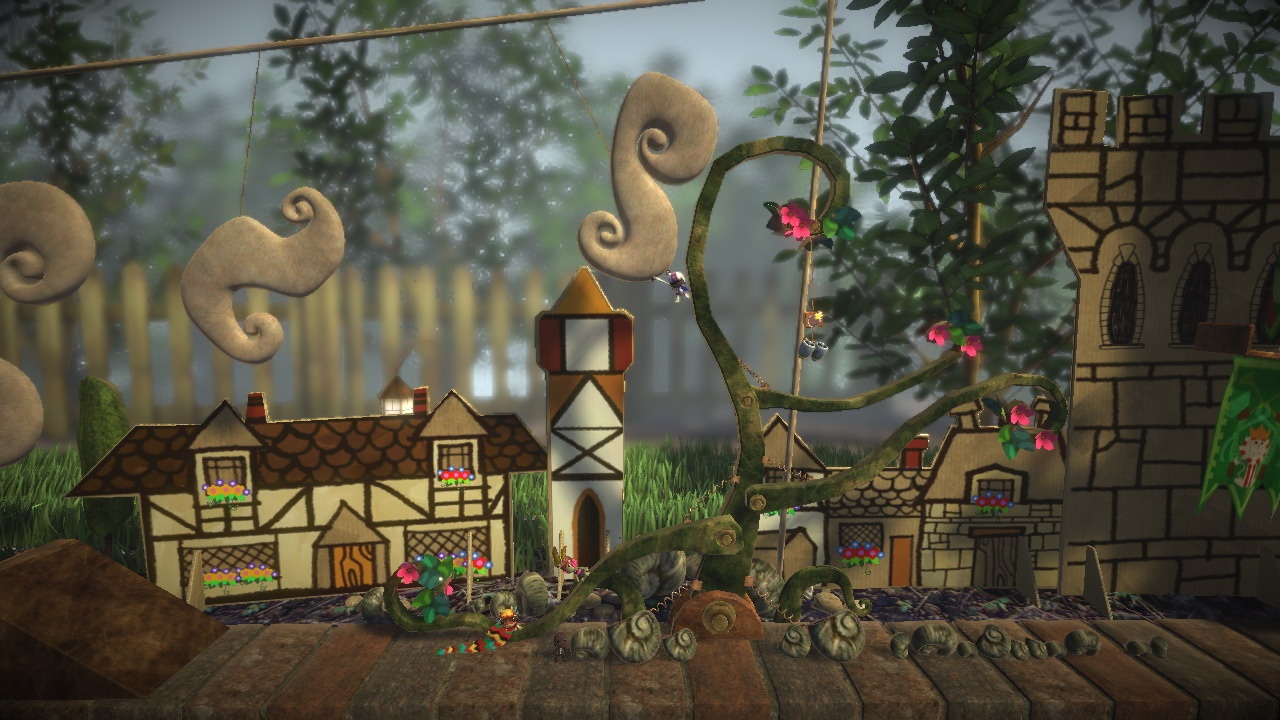
Understanding the Core Philosophy: Play, Create, Share
Before diving into gameplay mechanics, it helps to understand the three fundamental pillars that define LittleBigPlanet:
- Play: Embark on story campaigns, complete platforming challenges, defeat bosses, and play custom levels created by players around the world.
- Create: Use an accessible yet deep toolset to design custom levels, character costumes, logic machines, music, and full games.
- Share: Publish your handcrafted levels online for the entire global community to experience, rate, and comment on.
Mastering Sackboy Controls and Physics
Controlling Sackboy feels noticeably different from traditional mascot platformers like Super Mario Odyssey. Sackboy's movements are driven by real-time physics, giving jumps a slightly floaty, weight-based dynamic.
1. Understanding 3D Layer Movement
LittleBigPlanet utilizes a 2.5D side-scrolling perspective operating across three distinct depth layers: background, middleground, and foreground. Moving the analog stick up or down automatically shifts Sackboy between these planes. Practice transitioning smoothly between layers to avoid stepping into hazards like electrified floors or spikes.
2. The Grab Button (R1/L1)
The grab action is central to moving through Craftworld. Holding the grab button allows Sackboy to grab onto fabric, sponge material, jetpacks, switches, and movable objects. Grabbing swinging ropes at the peak of their arc awards maximum jump momentum.
3. Character Expressions and Gestures
Expressing yourself is a core fun factor. You can control Sackboy's facial expressions using the D-Pad (Up for Happy, Down for Sad, Left for Scared, Right for Angry). Moving the right analog stick while holding your grip trigger moves Sackboy's arms, letting you interact with friends in multiplayer sessions.
Navigating the Pod and Popit Menu
Your main hub in LittleBigPlanet is the Pod, a personal cardboard spaceship floating in space. From here, you access the Planet Earth (Story Mode and Community Levels) and the Craft Moon (your level creation space).
Using the Popit
Pressing the Square button opens your Popit menu—a floating bag of magical tools available almost anywhere in the game. The Popit contains several key categories:
- Customization: Change Sackboy's skin, eyes, hair, clothes, and materials.
- Stickers and Decorations: Apply colorful stickers to objects, walls, or Sackboy himself to trigger hidden switches in story levels.
- Popit Cursor: Highlight, capture, or clear items in Create Mode.
- Goodies Bag: Access collected materials, objects, and music tracks.
Beginner Tips for Level Creation (Create Mode)
Jumping into Create Mode can feel intimidating, but building your first level is simple once you master basic building blocks.
Start in the Level Creator Tutorials
Never skip the built-in tutorials narrated by Stephen Fry. They systematically explain basic mechanics, physics properties, glue, logic gadgets, and cameras while rewarding you with exclusive build materials.
Understand Materials and Physics
Different materials behave differently under physics rules:
- Wood and Cardboard: Light materials that burn easily near fire.
- Stone and Metal: Heavy materials resistant to hazardous elements.
- Sponge: Soft material designed specifically for Sackboy to grab onto.
- Rubber: High-friction material ideal for bouncy pads or high-traction surfaces.
Use the Grid and Snapping Tools
When starting out, turn on the Grid option inside the Popit tools menu. Aligning your platform geometry to grid lines ensures clean jump paths and prevents Sackboy from getting snagged on misaligned geometry.
Essential Survival Strategies for New Players
- Collect Every Prize Bubble: Throughout Story Mode in LittleBigPlanet, glowing bubbles contain valuable stickers, materials, and costumes needed for building. Replay stages to find hidden secrets.
- Master Checkpoint Management: Checkpoints in LittleBigPlanet often have finite spawn lives represented by lights. Don't waste lives recklessly during tough boss fights or trick platforming sections.
- Play Story Mode First: Complete the developer campaign before jumping heavily into Create Mode or spin-offs like LittleBigPlanet 2 or LittleBigPlanet 3. Story Mode serves as a blueprint showing what tools can accomplish.
Frequently Asked Questions
Is LittleBigPlanet suitable for complete beginners?
Yes, the games are designed for players of all skill levels. The intuitive controls and charming art style make it accessible for young children and casual gamers, while deep creation tools offer endless complexity for advanced creators.
What is the difference between LittleBigPlanet and Sackboy: A Big Adventure?
While set in the same universe, Sackboy: A Big Adventure is a pure 3D platformer focused entirely on story levels and local/online co-op play. It does not include the level editor found in mainline titles like LittleBigPlanet, LittleBigPlanet 2, and LittleBigPlanet 3.
Can I play LittleBigPlanet levels solo?
Absolutely. Although multiplayer adds cooperative fun and multi-player puzzle solutions, every main story level and the vast majority of community creations can be completed fully single-player.
Final Thoughts
The magic of LittleBigPlanet lies in its endless creative freedom and imaginative platforming charm. By understanding Sackboy's momentum, making good use of your Popit, and taking your time in Create Mode, you will quickly become a master builder in Craftworld. Grab your controller, unleash your imagination, and start creating!
