


Unlocking the Potential of the Lenovo Legion Go
The Lenovo Legion Go has established itself as one of the most versatile PC gaming handhelds available. Featuring an impressive 8.8-inch QHD+ (2560x1600) 144Hz display, AMD Ryzen Z1 Extreme processing power, and detachable controllers with FPS mode, it offers features that set it apart from other handheld devices. However, to truly appreciate what this device can do, you need titles that leverage its larger screen, high refresh rate, and resolution options.
Whether you want to test the boundaries of its graphic performance or enjoy silky-smooth framerates on lighter titles, here are the absolute best games to play on the Lenovo Legion Go.
Top Visual & Performance Showcases for Lenovo Legion Go

Cyberpunk 2077
Cyberpunk 2077 is one of the ultimate benchmark titles for modern handhelds. Thanks to ongoing performance updates and powerful upscaling technologies like AMD FSR, Night City looks breathtaking on the Lenovo Legion Go's 8.8-inch screen. The larger display size makes small text and complex user interfaces much easier to read compared to smaller handheld screens.
Running the game at 800p or 1200p with FSR set to Quality yields a sweet spot between sharp visual fidelity and steady frame rates, allowing you to experience high-end open-world RPG gameplay in the palm of your hands.

Elden Ring
FromSoftware's masterpiece, Elden Ring, runs exceptionally well on the Legion Go. Exploring the vast Lands Between on an 8.8-inch screen reveals details that can easily be lost on smaller portable displays. The Ryzen Z1 Extreme processor handles heavy boss encounters and open-world rendering with stability.
By targeting 800p with integer scaling enabled or setting the resolution to 1200p at medium settings, you can enjoy a consistent 45 to 60 FPS experience. The responsive analog sticks and ergonomic grips make dodging and fighting intense bosses smooth and natural.

Forza Horizon 5
If you want a game that immediately shows off the vibrancy and motion clarity of the Legion Go's 144Hz screen, look no further than Forza Horizon 5. Racing games benefit immensely from higher frame rates and larger displays, giving you better spatial awareness while drifting around sharp corners.
At 1200p medium settings, Forza Horizon 5 easily maintains well over 60 FPS, with the vibrant Mexican landscapes popping off the IPS panel with rich color accuracy and impressive clarity.

Hades II
While AAA blockbusters showcase raw power, action roguelikes showcase speed. Hades II (as well as its predecessor, Hades) takes full advantage of the Legion Go's 144Hz display capability. Because the game is less GPU-demanding, you can easily run it at the screen's native 1600p resolution while unlocking frame rates upwards of 120 to 144 FPS.
The result is input response times and fluid animation that feel lightyears ahead of standard 60Hz screens, making fast-paced combat incredibly satisfying.

Hi-Fi RUSH
Combining rhythm action with stylized cel-shaded graphics, Hi-Fi RUSH is tailor-made for handheld play. Its clean art style scales beautifully on the Legion Go's display without requiring heavy power consumption.
You can comfortably play Hi-Fi RUSH at 1200p or 1600p while maintaining high frame rates at lower TDP settings. Lower power usage means longer battery life and quieter fan performance during your session, making it an ideal game on the go.

Diablo IV
Action RPGs where inventory management and map navigation are constant benefit significantly from extra screen real estate. Diablo IV plays seamlessly on the Lenovo Legion Go. Grinding for loot, slaying hordes of demons, and customizing skill trees feel natural with the built-in controller layout.
Using medium settings paired with FSR at 1200p resolution delivers a fluid frame rate that stays reliable even during chaotic screen-filling ultimate abilities and boss encounters.
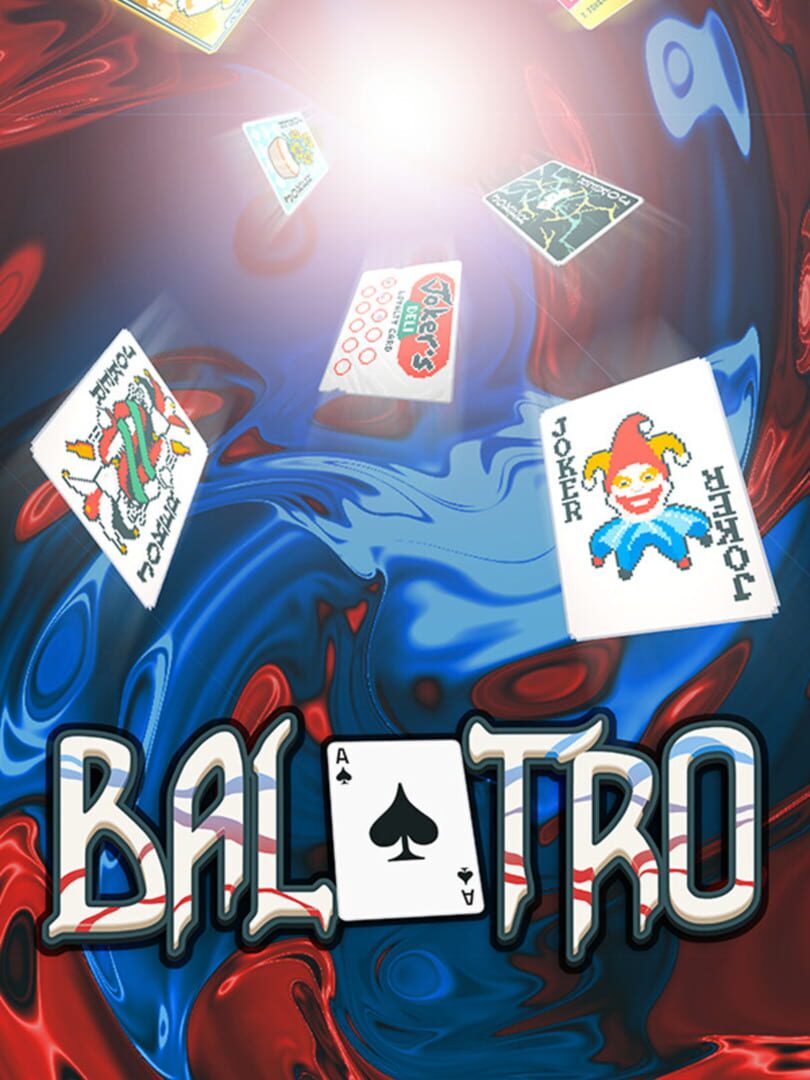
Balatro
Not every great handheld game needs to push the GPU to its limit. The hit roguelike deck-builder Balatro is an ideal title for casual gaming, traveling, or preserving battery life. Because the Lenovo Legion Go features a high-quality touchscreen, you can play Balatro entirely using touch controls or detached controllers.
Running at minimal TDP settings, you can get hours of extra battery life out of the device while enjoying one of the most addictive strategy games available.
Optimization Tips for Lenovo Legion Go
To get the best possible experience out of these titles, consider adjusting a few core settings within Windows and Legion Space:
- Use Integer Scaling: Set your in-game resolution to 800p (1280x800) and enable Integer Scaling in the AMD Software settings. This scales pixels cleanly to fit the native 1600p display, giving you sharp visual quality with the performance benefits of 800p.
- Adjust Thermal Mode (TDP): For heavy titles like Cyberpunk 2077 or Elden Ring, set the performance mode to Performance (20W) or Custom (25W-30W) while connected to power. For indie titles like Balatro or Hades II, lower the TDP to Quiet or Power Saving mode to extend battery life.
- Set VRAM Allocation: Adjust your VRAM setting in the BIOS to 6GB or Auto. This ensures modern AAA games have enough video memory allocated from the system RAM to prevent micro-stuttering.
Frequently Asked Questions
Can the Lenovo Legion Go run AAA games at native 1600p?
While the Lenovo Legion Go features a native 2560x1600 display, running demanding modern AAA games like Cyberpunk 2077 or The Witcher 3: Wild Hunt at native 1600p will significantly impact performance. It is recommended to run heavy games at 800p or 1200p with upscaling, reserving native 1600p for indie games, classic titles, and less demanding 2D/3D games.
How long does the battery last while gaming?
Battery life depends heavily on the chosen TDP (Thermal Design Power) setting and game demands. Heavy AAA games running at high TDP (20W-30W) typically yield 1 to 1.5 hours of battery life. Indie games or lower-demanding titles running at lower TDP (5W-15W) can easily achieve 3 to 5 hours of play time.
Does FPS Mode work well for First-Person Shooters?
Yes, the right detachable controller can be flipped into FPS mode using the included controller dock, transforming it into a vertical mouse. This feature works well for precision aiming in shooter games and strategy titles that benefit from mouse control without needing an external mouse on hand.
Final Thoughts
The Lenovo Legion Go is a powerful PC handheld that bridges the gap between portable comfort and desktop-class display specs. By choosing titles that take advantage of its 8.8-inch screen, variable TDP settings, and high refresh rates, you can tailor your handheld gaming setup for maximum battery life, peak visual fidelity, or lightning-fast competitive performance.
